


Last updated: August 25, 2026
By ZapAI Team
Microsoft Fabric is a SaaS-based data and analytics platform that puts data ingestion, transformation, real-time stream processing, analytics, and reporting into one product built around a single shared lake called OneLake. Instead of licensing and stitching together separate tools for warehousing, pipelines, Spark, and BI, you provision one pool of compute and every workload draws from it. Pricing starts around $260/month and scales into the tens of thousands for large enterprise deployments.
What Is Microsoft Fabric?
Strip away the marketing and Fabric is an attempt to solve a problem every data team has lived through: the same customer record sitting in three different systems, none of which agree with each other. Microsoft Fabric architecture unifies data engineering, warehousing, AI, governance, and BI under a single SaaS platform for end-to-end analytics. It replaces a pile of separately licensed, separately managed services with one environment where every tool reads and writes to the same copy of data.
That’s the part worth sitting with. In a typical pre-Fabric Azure setup, data in a Synapse dedicated SQL pool, a Data Lake Storage account, and a Power BI dataset were three separate copies of related data. Fabric collapses that into one — a pattern our Microsoft Fabric services team walks clients through when consolidating a fragmented Azure data estate.
How Fabric’s Architecture Actually Works
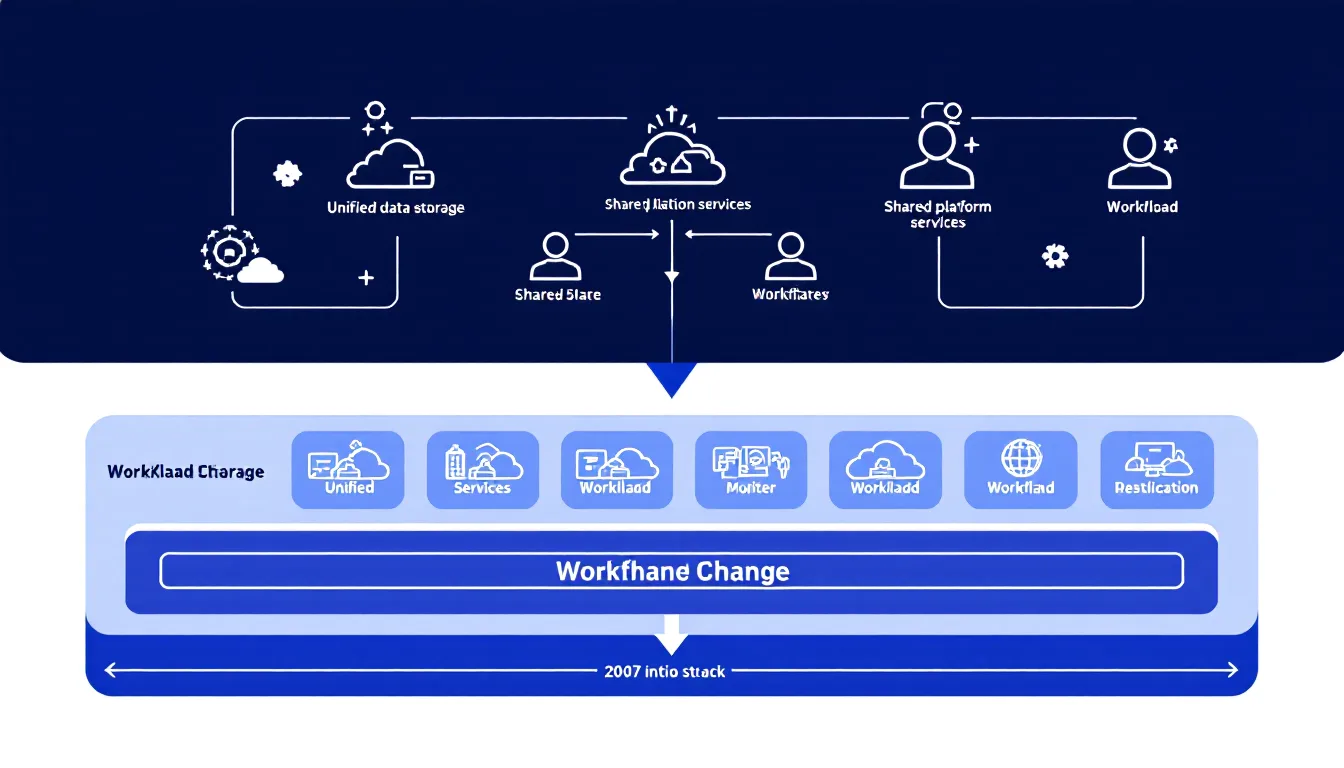
Fabric has three layers, and understanding them in order is the fastest way to stop treating it like “Power BI Premium with extra buttons.”
OneLake: the foundation everything sits on
OneLake is the single, unified, automatically provisioned data lake that underpins every Fabric workload. Every Lakehouse, Data Warehouse, Notebook, KQL Database, and Semantic Model stores its data in OneLake by default, and there is exactly one OneLake per Fabric tenant, with no infrastructure to provision or manage. Microsoft’s own comparison is the right one: OneLake is to data what OneDrive is to documents. You don’t set it up. It’s just there the moment you create a tenant.
Under the hood, data is stored in Delta format in OneLake rather than a separate SQL pool, which means a Warehouse table can be read by a Spark notebook without any ETL step in between. That’s the “OneCopy” idea people in the Fabric community keep repeating — one physical file, readable by every engine that needs it.
The platform layer
Sitting on top of OneLake is a shared services layer: Copilot for AI assistance embedded across workloads, and governance powered by Microsoft Purview, which is built directly into Fabric rather than bolted on afterward. Permissions, sensitivity labels, and audit trails are inherited automatically across every item in a workspace instead of being configured per service.
The workload layer
This is where you actually build things. Data Factory, Data Engineering, Data Science, Real-Time Intelligence, Data Warehouse, Databases, and Power BI each handle a specific job, but all of them share the same platform layer underneath — the same kind of consolidated stack our data engineering team builds pipelines against.
The Core Fabric Workloads, Explained
Fabric isn’t one tool wearing seven hats. Each workload is a genuinely different engine, aimed at a different kind of work, sharing the same storage.
| Workload | What it’s for |
|---|---|
| Power BI | Connect to data sources, build interactive charts and dashboards, and share insights across the organization |
| Data Factory | Connect to data sources, move data, transform it, and orchestrate workflows — the next generation of Azure Data Factory, not a competing product |
| Data Engineering | Spark-based notebooks and Lakehouses for large-scale transformation work |
| Data Warehouse | SQL-centric analysis and aggregation — create tables, query with T-SQL, and shape data for BI |
| Real-Time Intelligence | Handles streaming and event data — capturing what’s happening now rather than what happened last quarter |
| Data Science | Model training and deployment, integrated with Azure ML |
| Databases | Operational SQL databases for transactional workloads, provisioned inside the same tenant |
| Fabric IQ | Unifies business semantics across data, models, and systems so AI agents and copilots ground their answers in a consistent enterprise vocabulary |
The commercial logic behind bundling all of this together is straightforward. Every workload is included in a single Fabric capacity — an organization paying separately for Power BI Premium, Azure Synapse, and Azure Data Factory is very often paying more in aggregate than one equivalent Fabric capacity that includes all of it plus headroom.
Fabric IQ deserves a specific callout because it’s the newest and least understood piece. Microsoft announced general availability of Fabric IQ at Build 2026, including Operations Agents and Graph, positioning it as the shared context layer that lets AI agents and Copilot operate from a consistent understanding of the business rather than each agent inventing its own definition of “revenue” or “active customer.” Practically, that means Fabric data agents let teams ask plain-English questions about data stored in OneLake and get relevant, governed answers without writing SQL, and Operations Agents monitor live data streams and act on their own when a condition trips.
Microsoft Fabric Pricing: How Capacity Units Actually Work
This is the part most overview articles gloss over, and it’s the part that determines whether Fabric is cheap or expensive for your specific org.
Fabric doesn’t bill per query, per pipeline run, or per seat for compute. A Fabric capacity is a dedicated pool of compute that runs every Fabric workload — Spark, warehousing, Power BI, everything draws from the same pool. You buy a capacity sized in Capacity Units (CUs), sold as F-SKUs that double at every step.

Microsoft Fabric pricing starts at roughly $263/month for the entry-level F2 capacity and climbs the doubling ladder to about $8,410/month at F64, pay-as-you-go. Reserved 1-year pricing runs meaningfully cheaper — roughly 40% less — but locks you in and can’t be paused.
The number that actually changes buying decisions is F64. Below F64, every report viewer needs a Power BI Pro ($14/user/month) or Premium Per User ($24/user/month) license. At F64 and above, anyone with a free Fabric license can view and interact with Power BI content on that capacity. Run the math on a few hundred viewers and F64 stops looking like an enterprise-only tier and starts looking like the break-even point.
A few things worth budgeting for on top of compute:
- OneLake storage runs separately from compute, priced per TB per month
- Pay-as-you-go can be paused, which matters if your workload is business-hours only — a capacity running only working hours costs roughly a quarter of the always-on number
- Reserved capacity saves around 40% but you’re committed for a year with no pause option
Microsoft Fabric vs. Databricks vs. Snowflake
None of these three replace each other cleanly, and any post telling you there’s one right answer is selling something.
Fabric’s technical edge is Direct Lake, which lets Power BI read data directly from OneLake in Delta Parquet format without data imports or the query latency of DirectQuery. If your priority is fast BI deployment inside a Microsoft-heavy shop, that’s a real advantage. Databricks is built for teams whose roadmap includes custom LLMs or unstructured data at scale — it’s where you’d build the future rather than just report on the present. Snowflake sits closer to Fabric on the warehousing side but leans multi-cloud rather than Microsoft-native.
One practical signal from a team that’s shipped all three: a SQL-heavy team running Power BI all day will move noticeably faster on Fabric than on Databricks, while a Python and Spark team doing real ML will fly on Databricks and struggle on Fabric. That’s not a knock on either platform — it’s a description of what each was actually built to do well.
Increasingly, teams aren’t picking one. Common multi-platform patterns use Fabric for BI and reporting, Databricks for ML and advanced analytics, and Snowflake for data sharing with external partners, with one platform designated as the primary engine and the others handling what they’re genuinely best at.
Security and Governance with Microsoft Purview
Governance in Fabric isn’t an add-on module you configure after the fact — it’s structurally part of the product. Microsoft Purview and Fabric work together so you can store, analyze, and govern your data without piecing together services from multiple vendors, and the security and compliance insights that used to live in a separate Purview Hub now surface directly in the OneLake catalog’s Govern tab.
In practice this covers three things teams actually care about: sensitivity labels applied manually or automatically across Fabric items, audit trails capturing user activity across Lakehouse access, Power BI access, Spark jobs, and sign-ins, and information protection that discovers and classifies data using Purview’s sensitivity labeling. Labels persist even when someone exports a report to Excel — the classification travels with the file, not just the source table. It’s the same governance-first approach our data operations practice builds into every Fabric rollout.
Real-World Use Cases
Fabric’s ROI case isn’t hypothetical anymore. Forrester’s Total Economic Impact study found enterprises using Fabric achieved 379% ROI over three years, with faster time-to-insight and meaningful cuts to data infrastructure costs, as companies consolidate their data stacks ahead of wider AI rollouts.
Where it shows up concretely:
- Retail: blending point-of-sale data with online behavior for real-time inventory visibility and more accurate demand forecasting
- Manufacturing/supply chain: unifying ERP, IoT, and logistics data that would otherwise live in separate silos, turning disruptions from fire drills into manageable events
- High-tech: analyzing high-velocity system and network telemetry in one environment for granular usage insight and proactive performance monitoring
The organizations that see the most value are the ones already running multiple analytical workloads across the same data estate — large enterprises and upper-mid-market companies dealing with tool sprawl and duplicated pipelines. If you’re a five-person team running one dashboard off a single spreadsheet, Fabric is overkill. If you’ve got finance, ops, and product all maintaining their own copies of “the truth,” it starts to make sense fast.
Getting Started with Microsoft Fabric
You don’t need a purchase order to try this. The Fabric trial includes one 64 capacity unit trial capacity, giving full access to every Fabric experience plus up to 1 TB of OneLake storage, for 60 days.
The path is: sign in to the Fabric portal, create a workspace, and start building — a lakehouse, a warehouse, a pipeline, whatever matches your first use case. All content remains stored in OneLake for 7 days after a trial ends and can be reactivated by assigning the workspace to a paid capacity, so a trial project isn’t wasted work if you decide to move forward.
A sane way to structure that first build: follow the medallion pattern most Fabric implementations converge on. Bronze holds raw data with original copies preserved as source of truth, silver holds enriched/validated data, and gold holds curated data ready for reporting. It’s not Fabric-specific, but Fabric’s OneLake makes it cheap to implement because you’re not duplicating storage across layers.
Where Fabric Still Has Rough Edges
No honest overview skips this part. Teams that have actually run Fabric in production report real friction, not just theoretical trade-offs.

- Networking: managed private endpoints aren’t supported for Data Factory workloads, which limits options for locking down data movement into Fabric behind private networking
- SQL gaps: Fabric Data Warehouse doesn’t support every Transact-SQL statement available in SQL Server, and cross-region warehouse connections aren’t supported
- Cost visibility: teams have reported difficulty monitoring and predicting costs due to limited visibility into additional expenses, requiring careful manual monitoring to manage budgets
- Capacity sizing is an ongoing job, not a one-time decision: choosing the right tier means balancing performance, cost, and scalability against workloads that don’t behave predictably — undersizing causes throttling, oversizing wastes spend
- Learning curve: the transition to Fabric often requires upskilling and organizational restructuring for teams with specialized data engineering, BI, and data science roles
None of this is disqualifying. It’s the normal cost of adopting a platform that’s still maturing fast — Fabric ships monthly feature updates, and some of what’s listed above will likely be resolved within a year of publication. But budget the training time and the capacity-monitoring discipline into your rollout plan, not just the license cost. If you’d rather have that scoped for you, get in touch.
FAQ
Is Microsoft Fabric the same as Power BI?
No. Power BI is one of Fabric’s workloads — the visualization and reporting layer. Fabric is the broader platform that also includes data engineering, warehousing, real-time analytics, and AI, all sharing the same OneLake storage that Power BI reports pull from.
How much does Microsoft Fabric cost?
It starts around $260/month for an entry-level F2 capacity and scales up through F-SKUs to roughly $8,400/month at F64 pay-as-you-go, with reserved 1-year pricing cutting that by about 40%. OneLake storage is billed separately.
Is Microsoft Fabric replacing Azure Synapse?
Fabric Data Factory is described by Microsoft as the next generation of Azure Data Factory, and Fabric absorbs most of what Synapse did. New projects are steered toward Fabric rather than standalone Synapse.
Do I still need Databricks if I have Fabric?
Depends on the workload. If your team is doing heavy custom ML, LLM work, or unstructured data processing, many organizations run Databricks alongside Fabric rather than instead of it — using Fabric for BI and governance and Databricks for the harder data science.
Is there a free way to try Fabric?
Yes — Microsoft offers a 60-day trial with a 64 CU trial capacity and up to 1TB of OneLake storage, giving access to every workload without a purchase.