

Last updated: August 25, 2026
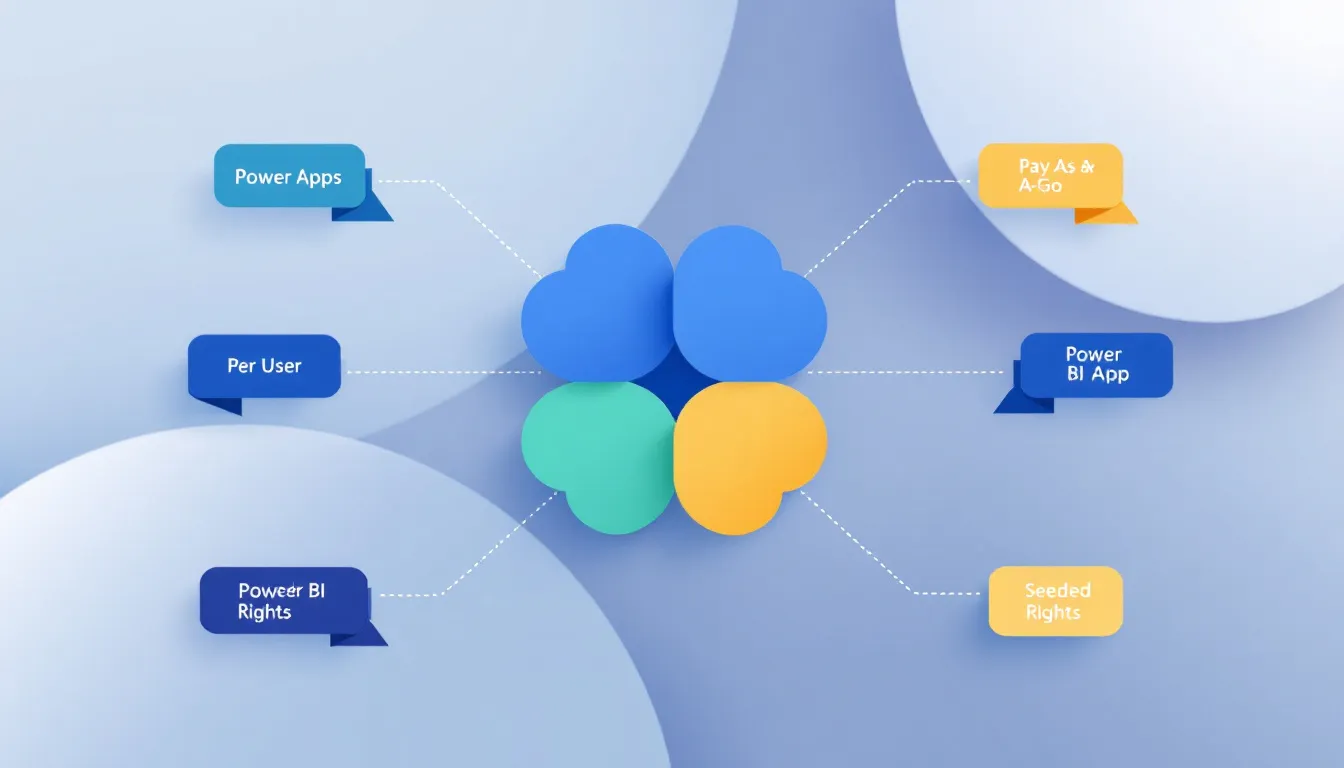
Quick answer: Power Platform licensing runs on four buying models: per-user (Power Apps Premium, Power Automate Premium), per-app or per-flow (pay-as-you-go and per-flow plans), consumption-based (Copilot Studio’s credit packs), and seeded rights bundled into Microsoft 365 or Dynamics 365. Most licensing surprises come from the gaps between these models, not from the sticker price on any single one.
If you’ve tried to read Microsoft’s own licensing guide, you already know the problem. It runs past 60 pages, it changes at least twice a year, and it assumes you already understand terms like “multiplexing” and “within app context” before you’ve opened page one. This guide breaks down what each Power Platform component actually costs in 2026, where the seeded rights end and the paid tiers begin, and which mistakes quietly turn a $20-a-month app into a five-figure true-up.
At ZapAI, we work through this exact math with clients running Power Platform across finance, healthcare, and manufacturing teams. The patterns repeat: someone licenses the whole department at Premium because nobody wants to think about per-app tiers, or a flow that looked “included” turns out to need its own subscription. Here’s the breakdown that would have saved most of them the phone call to Microsoft support.
What Is Power Platform Licensing, Exactly?
Power Platform licensing governs who can build and run apps, flows, chatbots, and Power BI reports across four core products: Power Apps, Power Automate, Power Pages, and Power BI, plus the Dataverse storage layer underneath all of them. Microsoft sells access four ways:
- Per-user subscriptions — one license per person, unlimited use within that product (Power Apps Premium, Power Automate Premium)
- Per-app, per-flow, or per-bot licenses — narrower scope, lower cost, sized to a specific workload rather than a whole user base
- Pay-as-you-go meters — billed on actual usage rather than a fixed seat count
- Seeded use rights — limited capability already bundled into Microsoft 365 or Dynamics 365 plans you’re probably paying for anyway
The catch is that seeded rights only cover you inside a narrow context. Step outside it, even slightly, and you need a standalone license. That single distinction is responsible for more unplanned Power Platform spend than any pricing change Microsoft has made in years.
Power Apps Licensing Explained
Power Apps has consolidated around a simpler structure in 2026 after Microsoft retired the standalone Per App plan in January. Two paths remain for most organizations.
Power Apps Premium costs $20 per user per month, or $12 per user per month if you’re buying 2,000 or more new licenses on an annual term. One license covers unlimited custom apps, unlimited Power Pages websites in the same environment, premium and custom connectors, and full Dataverse access.
The per-app pay-as-you-go meter runs $10 per active user per app per month, billed only for users who actually open that specific app in a given month. This is the right call for a single-purpose tool with a small, defined user base rather than a broad rollout.
Power Apps Basic, the seeded tier that comes with qualifying Microsoft 365 and Office 365 licenses, only extends to customizing Microsoft 365 itself and to Dataverse for Teams. It does not cover a general-purpose custom app connecting to, say, your SQL Server environment.
Power Automate Licensing Explained
Power Automate is where the licensing model branches the most, because Microsoft is pricing for three very different use cases: individual productivity, unattended automation bots, and org-wide business processes.
| Plan | Price | Best for |
|---|---|---|
| Power Automate Premium | $15/user/month | Individuals automating their own modern apps and legacy apps (attended) |
| Power Automate per user | $15/user/month | Broad adoption across many employees, minimal admin overhead |
| Power Automate per flow | $100/flow/month (5 min.) | A handful of critical org-wide processes, not licensed per user |
| Power Automate Process | $150/bot/month | A single unattended automation bot |
| Power Automate Hosted Process | $215/bot/month | Same as Process, plus a Microsoft-hosted VM |
| Unattended RPA add-on | $150/bot/month | Adds unattended capability to Premium or per-flow licenses |
The rule that catches people out here is what Microsoft’s own guide calls “within app context.” If a flow reads from or writes to the same data source as a licensed Power App, and it fires through that app’s built-in trigger, the flow rides along on the Power Apps license. The moment that same flow starts doing something unrelated, updating a database the app never touches, for instance, it needs its own full Power Automate license. It’s a distinction that lives entirely in how the flow is built, not in how big or small the automation is.
Power BI Licensing Explained
Power BI pricing shifted meaningfully in 2025 and the new numbers are still catching people off guard. As of April 2025, Microsoft raised Power BI Pro from $10 to $14 per user per month and Premium Per User from $20 to $24, and both rates have held steady through April 2026.
- Power BI Pro ($14/user/month): standard tier for publishing, sharing, and collaborating inside your org
- Premium Per User ($24/user/month): adds paginated reports, more frequent refreshes, and deployment pipelines
- Microsoft Fabric F-SKUs (from roughly $262/month for F2): capacity-based pricing that has effectively replaced legacy Premium Capacity for new purchases
The number worth remembering is the break-even point. Once an organization has somewhere between roughly 350 and 600 users, depending on reserved versus pay-as-you-go pricing, a Fabric capacity tier starts costing less than licensing every viewer individually, because viewers on F64-and-above capacity don’t need a paid seat at all. Below that threshold, per-user Pro or PPU licenses are usually still cheaper. If your organization is on Microsoft 365 E5, Power BI Pro is already included at no extra cost, which is worth checking before anyone buys a separate license.
Power Pages Licensing Explained
Power Pages splits licensing by audience type rather than by user role.
Authenticated users (people who log in) are sold in capacity packs of 100, at $200/pack for the entry tier down to $50/pack at 100,000-plus users. Anonymous users (people who don’t log in) come in packs of 500, from $75/pack down to $25/pack at scale. Both are also available as pay-as-you-go meters, at roughly $4 per authenticated user or $0.30 per anonymous user, for organizations that don’t want to guess at monthly traffic in advance.
The practical guidance is simple: if you’re building a genuine external-facing portal, budget at least $200-300 a month as an entry point once you factor in both user types and Dataverse capacity. A quiet internal knowledge base with a handful of authenticated staff is a different economic story than a customer-facing self-service site.
Copilot Studio and AI Licensing: Credits, Not Seats
Copilot Studio doesn’t price by seat at all, and that trips up a lot of budgeting exercises built around per-user thinking. Since September 2025, Microsoft measures consumption in Copilot Credits, purchased either as a $200-per-month pack covering 25,000 credits on an annual commitment, or pay-as-you-go at roughly $0.01 per credit with no commitment at all.
What actually drains the credits varies enormously by what the agent does. A scripted answer pulled from a knowledge source costs a fraction of a credit; a generative, reasoning-based response costs several times more; an autonomous agent action that fires on a trigger can burn 25 credits or more per event. That gap is why two Copilot Studio agents with identical seat counts can land on wildly different monthly bills, the meter is tracking behavior, not headcount.
Layered on top of this is a hard deadline: AI Builder went End of Sale on November 1, 2025, and any AI Builder credits seeded into your Power Apps, Power Automate, or Dynamics 365 licenses will be fully removed on November 1, 2026. There’s no automatic conversion into Copilot Credits. If your team built document automation or AI-driven forms on those complimentary seeded credits, the fix is either an AI Builder capacity add-on before renewals lock in, or a planned move to Copilot Credits, not a wait-and-see approach come November.
Dataverse Capacity and Add-Ons
Dataverse is the shared data layer underneath Power Apps, Power Automate, Power Pages, and Copilot Studio, and it comes with its own capacity math. Every tenant gets a one-time default allocation the moment it buys its first Power Platform subscription, and each additional license accrues a smaller amount of capacity on top of that.
When you run out, add-ons are priced per gigabyte: $40/month for database capacity, $2/month for file capacity, and $10/month for log capacity, all billed annually. These numbers look small in isolation, but they accumulate quietly across a growing tenant, especially once document-heavy Power Pages sites or high-volume flows start writing to Dataverse at scale.
Licensing You Might Already Have
Before buying anything new, it’s worth checking what your existing Microsoft 365 or Dynamics 365 licenses already unlock. Office 365 E3 and E5, Microsoft 365 Business Premium, and several Dynamics 365 Enterprise applications all include limited Power Apps, Power Automate, and Power Pages use rights, provided the usage stays inside that application’s context. It’s the same “within app context” boundary that governs Power Automate, applied across the whole seeded-rights structure. Understanding exactly where that boundary sits, and where it’s worth investing in a proper Dynamics 365 deployment instead, is usually the single highest-leverage licensing conversation an organization can have.
Common Power Platform Licensing Mistakes That Inflate Cost
A few patterns show up again and again in license reviews:
Multiplexing doesn’t reduce license counts. Routing many users through a single service account or connection pool doesn’t change how many licenses you owe. Microsoft’s multiplexing rules count every person who ultimately touches the data, directly or indirectly, regardless of how many technical layers sit between them and the app.
Managed Environments requires a license per active user, not per admin. Turning on Managed Environments, which most governance-conscious organizations eventually do, means every user who actively runs an app or triggers a flow in that environment needs a standalone premium license or an eligible pay-as-you-go meter. Seeded rights from Dynamics 365 or Microsoft 365 don’t satisfy that requirement. Starting in June 2026, Microsoft began surfacing in-app notifications to unlicensed users in Managed Environments, which means the gap that used to hide quietly in an admin report now shows up directly to end users.
Blanket Premium licensing for exploratory projects. It’s tempting to license an entire department at Power Apps Premium so nobody has to think about tiers later. For a pilot, a per-app pay-as-you-go meter or a handful of Premium seats for actual builders is almost always cheaper, and it’s easy to step up to org-wide Premium once adoption proves out.
Treating AI Builder credits as permanent. Seeded AI Builder capacity has a hard expiration date. Any workflow built around those free credits needs a funded successor before November 2026, not an afterthought.
How to Choose the Right License Mix
There’s no single “correct” Power Platform license, but a rough decision framework holds up across most organizations:
- Small pilot or single-department tool: per-app pay-as-you-go for Power Apps, per-flow for the automation piece
- Broad internal adoption across many employees: Power Apps Premium and Power Automate per user, priced for scale
- A handful of critical, org-wide business processes: Power Automate per flow, licensed by process rather than by person
- Customer or partner-facing websites: Power Pages capacity packs, sized against realistic monthly traffic, not worst-case estimates
- Analytics for under roughly 350 users: Power BI Pro; above that, start modeling Fabric capacity
- Any AI agent work: budget Copilot Credits from day one, and don’t design around AI Builder’s seeded allowance
If any of this maps onto a licensing decision you’re mid-way through, or an EA renewal that’s coming up faster than expected, ZapAI’s Power Platform team reviews tenant usage against actual licensing entitlements before you commit to a renewal number.
FAQ
What is Power Platform licensing?
It’s the set of subscription and consumption models Microsoft uses to govern access to Power Apps, Power Automate, Power Pages, Power BI, and Copilot Studio. Licensing is sold per-user, per-app or per-flow, on a pay-as-you-go meter, or bundled as limited seeded rights inside Microsoft 365 and Dynamics 365 plans.
How much does Power Platform cost per user?
It depends entirely on the mix. Power Apps Premium runs $20/user/month, Power Automate Premium $15/user/month, and Power BI Pro $14/user/month. A single license often isn’t enough on its own; most real deployments blend two or three of these plus Dataverse capacity.
Do I need a separate Power Automate license if I already have Power Apps?
Only if the flow steps outside the app’s context. A flow triggered by the app and touching the same data source is covered by the Power Apps license. A flow doing unrelated work against a different system needs its own Power Automate license.
What happens to AI Builder credits after November 2026?
Seeded AI Builder credits, the free capacity bundled with certain Power Apps, Power Automate, and Dynamics 365 licenses, are permanently removed on November 1, 2026. There’s no automatic conversion to Copilot Credits, so any workflow relying on that free tier needs a funded replacement before the deadline.
Is Power BI included with Microsoft 365?
Power BI Pro is included at no extra cost for organizations on Microsoft 365 E5. Every other M365 plan requires a separate Power BI license.
What is Managed Environments, and does it change what I need to license?
Managed Environments is a governance layer that gives admins more control over Power Platform usage. Once it’s enabled, every active user in that environment, not just administrators, needs a standalone premium license or a qualifying pay-as-you-go meter. Seeded rights from Dynamics 365 or Microsoft 365 don’t count toward that requirement.